The 15 Best ChatGPT Alternatives Free in 2026 (No Subscription Required)
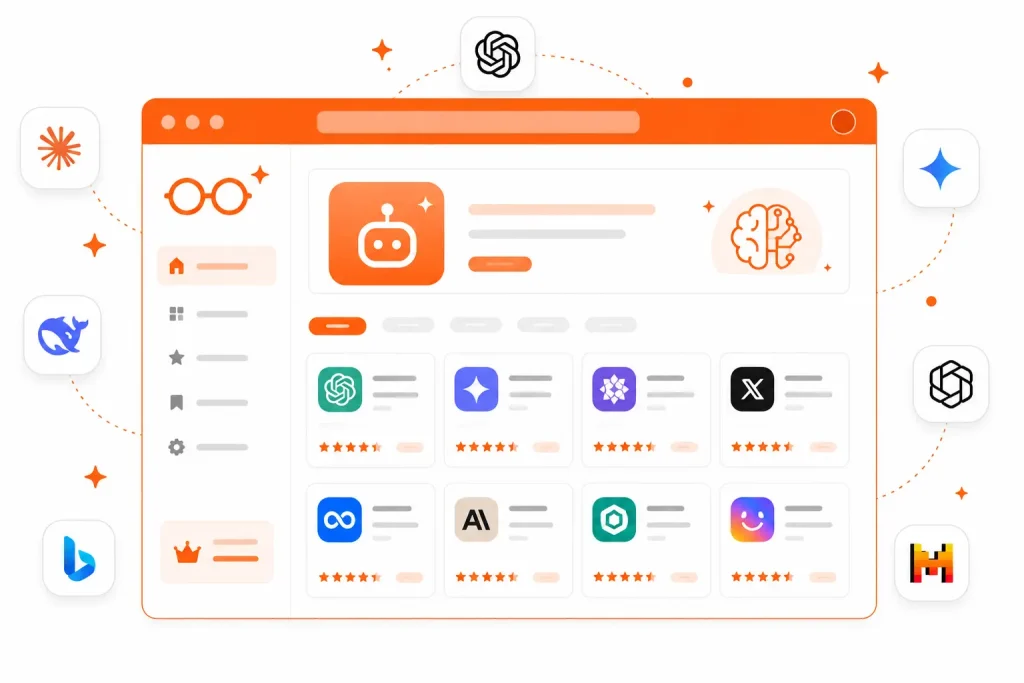
Are you tired of hitting ChatGPT’s message limits, getting downgraded to slower models mid-task, or simply refusing to pay yet another $20 per month subscription? You are not alone.
In 2026, the AI landscape has exploded with genuinely powerful free tools that match — and in many cases beat — ChatGPT at specific tasks. Whether you need a research assistant with real citations, a coding partner that understands your entire codebase, or a creative writing tool with no daily limits, there is a free ChatGPT alternative built for exactly what you need.
This guide covers the 15 best ChatGPT alternatives free in 2026, ranked by real-world utility. You will also get a comparison table, a persona-based recommendation guide, and answers to the most common questions people have after switching.
Quick Summary (TL;DR):
- Best overall free alternative: Google Gemini (2M token context window)
- Best for writing: Claude by Anthropic (most human-like output)
- Best for research: Perplexity AI (citations on every answer)
- Best for coding: DeepSeek (unlimited free tier, shows reasoning)
- Best for privacy: Mistral AI (fully self-hostable, open-source)
The Great AI Migration: Why Professionals Are Switching to Free Alternatives
The numbers are hard to argue with. In 2026, there are now dozens of free AI tools that were simply not available two years ago. Understanding why so many professionals are switching helps you pick the right tool for your specific situation.
Solving “$20 Fatigue” and Subscription Overload
The average professional now pays for three to five AI subscriptions simultaneously — ChatGPT Plus, Midjourney, a coding assistant, an SEO tool, and a writing helper. That adds up to $80–$150 per month before you have even opened your laptop.
The good news is that competition between AI companies has driven an enormous amount of capability into free tiers. Google subsidizes Gemini with its ad business. Meta gives away its AI to keep users inside WhatsApp and Instagram. Anthropic offers Claude free to build brand loyalty. The result for you is genuinely professional-grade AI tools at zero cost.
Overcoming Quota Exhaustion and Model Downgrades
One of the most frustrating experiences with ChatGPT’s free tier is starting a complex task with GPT-4o, hitting a limit halfway through, and being switched to a slower model without warning. Your workflow breaks, your momentum is lost, and you are left with an incomplete result.
Several free alternatives in this guide — particularly DeepSeek and HuggingChat — impose no message limits whatsoever on their free tiers. Others like Gemini offer generous daily allowances that the vast majority of users never actually reach.
Privacy and Data Governance: The Corporate Push for Local AI
For business owners and professionals handling sensitive client data, the question of where your conversations go matters enormously. Many corporate teams have discovered — often the hard way — that pasting client financials, legal documents, or proprietary product specs into a public AI chat creates real compliance risks.
This is driving a significant migration toward tools like Mistral AI and DeepSeek, both of which offer open-weight models that can run entirely on local hardware. Your data never leaves your machine.
The Best ChatGPT Alternatives Free: 2026 Technical Rankings
Before diving into each tool individually, here is a side-by-side comparison of the top options to help you decide at a glance.
Comparison Table: Top Free ChatGPT Alternatives (2026)
| Tool | Free Context Window | Best Use Case | Agentic Feature | Daily Limit |
|---|---|---|---|---|
| Google Gemini | 2,000,000 tokens | Research & writing | Gmail/Drive automation | Generous |
| Claude (Anthropic) | 200,000 tokens | Writing & analysis | Project memory | Moderate |
| DeepSeek | 128,000 tokens | Coding & reasoning | Deep-Think mode | Unlimited |
| Perplexity AI | ~32,000 tokens | Fact-based research | Real-time web search | Unlimited basic |
| Microsoft Copilot | 128,000 tokens | Microsoft 365 users | Edge sidebar integration | Generous |
| Grok (xAI) | 2,000,000 tokens | Real-time news & trends | X platform data access | Limited |
| NotebookLM | N/A (source-based) | Document research | Audio podcast generation | Generous |
| Mistral AI | 128,000 tokens | Privacy-first teams | Local deployment | Unlimited (local) |
| HuggingChat | Varies by model | Model exploration | Multi-model switching | Unlimited |
| Meta AI | ~32,000 tokens | Social & casual use | Social media integration | Unlimited |
Google Gemini: The 2-Million-Token Ecosystem Champion
Best for: Deep integration with Google Workspace and multimodal projects involving massive datasets.
Google Gemini has quietly become the most capable free AI tool available in 2026, not because of its raw intelligence, but because of the sheer scale of what its free tier offers.
The headline feature is the 2-million-token context window — the largest available on any free plan. In practical terms, this means you can paste an entire book, your company’s full knowledge base, or a year’s worth of email threads into a single conversation. Gemini reads it all and responds with full context intact.
Google Gemini is one of the strongest free alternatives available — we compared it directly with ChatGPT here if you want a full breakdown.
What the free plan includes:
- Access to Gemini 3 Flash model (fast, capable for everyday tasks)
- Limited access to Gemini 3.1 Pro for complex tasks
- 10 Deep Research reports per month
- 100 creative media credits per month
- Full Google Workspace integration (Gmail, Docs, Drive, Sheets)
Biggest advantage over ChatGPT: The agentic integration with Google Workspace is genuinely transformative. Gemini can read your Gmail to find flight confirmation details and automatically draft a travel itinerary document. It can pull data from your Google Sheets and write a full analysis report. These are tasks ChatGPT cannot do without paid plugins.
Main drawback: Users report occasional hallucinations in complex reasoning chains, and some discussion topics are more heavily filtered than competitors.
Best for: Google Workspace power users, researchers, and content creators who live in the Google ecosystem.
Upgrade pricing: Gemini Advanced (AI Pro) at $20/month, or a lighter Plus plan at $7.99/month.
Anthropic Claude: The Prose and Reasoning Gold Standard
Best for: Human-like natural writing, nuanced reasoning, and high-stakes document analysis.
If you write for a living — blog posts, client emails, reports, or marketing copy — Claude is the free ChatGPT alternative most likely to make you forget you are using an AI. The output reads like a thoughtful human wrote it, not a pattern-matching machine.
Claude was built on a framework called “Constitutional AI,” which trains the model to be helpful, harmless, and honest at a foundational level. In practice, this means Claude follows complex brand style guides with remarkable accuracy, produces fewer awkward phrasings, and is significantly less likely to add unnecessary disclaimers to every response.
What the free plan includes:
- Access to Claude Sonnet 4.6 model
- Daily message limits (vary based on server load)
- Project memory feature for persistent context across sessions
- File upload and document analysis
Biggest advantage over ChatGPT: Claude is the best in class for long-form writing quality. When given a 10,000-word document to summarize or rewrite, Claude maintains tone, structure, and nuance in a way that feels genuinely editorial rather than mechanical.
Main drawback: The free tier has strict rate limits and no image generation capability.
Best for: Writers, editors, researchers, marketing professionals, and legal professionals who need high-quality text output.
Upgrade pricing: Claude Pro at $17/month (annual) or $20/month (monthly).
DeepSeek: The Efficiency King for Uncapped Reasoning
Best for: High-performance coding, mathematics, and logical reasoning with no daily usage caps.
DeepSeek V3 is arguably the most significant free AI story of 2026. A Chinese AI lab released a model that competes with GPT-4o and Claude on most benchmarks — and made it completely free with no message limits.
The headline feature for power users is Deep-Think mode, which shows DeepSeek’s step-by-step reasoning process before delivering its final answer. For coding and mathematics, watching the model work through its logic lets you spot errors and understand the solution at a much deeper level than a black-box answer allows.
What the free plan includes:
- Fully free hosted chat interface at deepseek.com
- 128k-token context window
- No daily message limits
- Deep-Think reasoning mode
- Open-weight models available for local deployment
Biggest advantage over ChatGPT: No paywalls, no model downgrades mid-conversation, and transparent reasoning chains for technical tasks.
Main drawback: Text-only — no image generation, voice, or multimodal capabilities. Some users also have data privacy concerns given its origin.
Best for: Developers, quantitative analysts, students tackling technical subjects, and budget-conscious technical users.
Upgrade pricing: Pay-as-you-go API pricing (~$0.28 per million tokens) rather than a consumer subscription.
Perplexity AI: The Ultimate Citation-Driven Research Engine
Best for: Real-time web research and generating answers with verifiable, clickable citations.
Perplexity AI is the tool most likely to replace Google Search for research-heavy workflows. Every answer comes with numbered footnotes linking to the exact source, turning a potentially unverifiable AI response into something you can fact-check in seconds.
This fundamentally solves the hallucination problem for research tasks. Perplexity does not invent citations — it searches the web in real time, reads the top sources, and synthesizes an answer with every claim traceable to a real page.
What the free plan includes:
- Unlimited basic searches (using Perplexity’s own model)
- Limited number of “Pro” searches per day (using GPT-4o or Claude)
- Real-time web access on every query
- File upload for document analysis
- Focus modes (Academic, YouTube, Reddit, etc.)
Biggest advantage over ChatGPT: ChatGPT’s base model has a knowledge cutoff and can hallucinate sources. Perplexity cannot hallucinate a citation because the citation is how it builds the answer in the first place.
Main drawback: Less creative and conversational than ChatGPT. Not suitable for writing tasks, brainstorming, or long-form content generation.
Best for: Journalists, students, fact-checkers, market researchers, and anyone who needs verifiable answers quickly.
Upgrade pricing: Perplexity Pro at $17/month (annual) or $20/month (monthly).
Microsoft Copilot: The Integrated Backbone for Windows Users
Best for: Seamless integration with Windows 11 and Microsoft 365 applications.
Microsoft Copilot gives Windows users access to OpenAI’s latest models completely free, subsidized by Microsoft’s enterprise licensing business. For anyone who spends their working day inside Word, Excel, Outlook, or Teams, this is the path of least resistance to genuinely useful AI.
What the free plan includes:
- Access to latest OpenAI models (GPT-4o class)
- Free DALL-E image generation
- 128k token context window
- Edge browser sidebar integration
- Bing web search grounding
Biggest advantage over ChatGPT: Free access to the same underlying models that power ChatGPT Plus, but subsidized by Microsoft instead of a direct subscription.
Main drawback: Conversation histories expire after approximately 24 hours, and some users find the integration with Office apps inconsistent outside of enterprise plans.
Best for: Windows users, corporate employees on Microsoft 365, and students in the Microsoft ecosystem.
Grok by xAI: The Real-Time News and Trends Specialist
Best for: Real-time social media intelligence, news aggregation, and trend analysis.
Grok has a capability no other AI can match: direct, real-time access to everything posted on X (formerly Twitter). If your work involves monitoring brand sentiment, tracking breaking news before it reaches traditional outlets, or understanding what a specific community is saying about a topic right now, Grok is in a category of one.
What the free plan includes:
- Limited daily access through X platform
- Access to the 2-million-token context window on standard models
- Real-time X data integration
- Image generation via Aurora model
Biggest advantage over ChatGPT: Real-time social data access before it appears in blog posts or news articles.
Main drawback: The interface can feel unpolished, and the “rebellious” tone is unsuitable for formal business writing. Free tier limits are relatively restrictive.
Best for: Social media managers, journalists, developers, and social commerce strategists.
🔗 grok.com
NotebookLM: The Best Free AI for Document Research
Best for: Source-grounded research, PDF analysis, and converting research into audio podcasts.
NotebookLM is Google’s most underrated free AI tool, and it works on a fundamentally different principle from every other tool in this list. It does not know anything about the general world. It only knows what you tell it by uploading your own sources.
This sounds like a limitation. In practice, for research work, it is a superpower. NotebookLM will never hallucinate outside your uploaded documents because it has no other information to draw from. Every answer it gives cites the exact page and paragraph from your own materials.
What the free plan includes:
- Completely free for all Google account holders
- Up to 100 notebooks with 50 sources each
- Supports PDFs, Google Docs, YouTube videos, and web URLs
- Audio Overview feature generates podcast-style conversations about your sources
- Q&A mode with pinpoint citations
Biggest advantage over ChatGPT: Zero hallucination risk within your source material. Ideal for studying, legal research, and competitive intelligence from specific documents.
Main drawback: Cannot help with anything outside your uploaded documents. Not a general-purpose assistant.
Best for: Academic researchers, students, analysts, lawyers, and anyone managing large libraries of PDFs.
Upgrade pricing: No paid tier exists — entirely free.
Mistral AI: The Privacy-First Open-Source Champion
Best for: Technical teams requiring open-source flexibility and local deployment for security.
Mistral AI is a French AI company that has built a reputation for producing extraordinarily efficient open-weight models. “Open-weight” means the model’s core parameters are publicly available — you can download them, inspect them, modify them, and run them on your own hardware.
For business owners handling sensitive client data, Mistral running on a local server or private VPS is the most defensible AI setup available. Your conversations never touch a third-party server.
What the free plan includes:
- Free access to open-weight models (Mistral 7B, Mixtral 8x7B) for local deployment
- “Le Chat” web interface for browser-based use
- Free API tier with rate limits for developers
Biggest advantage over ChatGPT: Complete data sovereignty. Run the model on your own hardware and your data never leaves your infrastructure.
Main drawback: Local deployment requires technical expertise. Le Chat web interface, while improving, is less polished than commercial competitors.
Best for: Developers, government contractors, healthcare professionals, legal firms, and any organization with strict data compliance requirements.
HuggingChat: The Open-Source Model Playground
Best for: AI researchers and developers who want to experiment with multiple open-source models.
HuggingChat is the public-facing chat interface of Hugging Face, the world’s largest repository of open-source AI models. It gives you access to dozens of different models — including Llama, Qwen, Mistral, and Falcon — through a single interface, with no account required.
For most everyday users, the inconsistent quality is a drawback. For developers and researchers who want to test how different architectures handle specific prompts, it is an invaluable free tool.
What the free plan includes:
- Fully free with no login required
- Access to a rotating roster of community-maintained models
- Basic web search integration on select models
- No daily message limits
Meta AI: The Casual Social Media Assistant
Best for: Everyday casual use integrated directly into the apps you already use.
Meta AI runs on Llama 4, Meta’s flagship open-weight model, and is embedded directly into WhatsApp, Instagram, Facebook, and Messenger. For casual users, there is a compelling case that Meta AI is the most accessible free AI available in 2026 — it is already inside the apps you check dozens of times per day.
What the free plan includes:
- Completely free within Meta’s entire ecosystem
- AI image generation and editing in chat threads
- Specialized voice modes with celebrity voices (where available)
- No formal usage limits for standard requests
Biggest advantage over ChatGPT: Zero friction — no new app, no new account, no new habit. It lives where you already are.
Main drawback: Designed for casual use. Lacks the depth, reasoning ability, and professional integration features of tools like Claude or Gemini.
🔗 meta.ai
Specialized Tools: Moving Beyond the Generalist Chatbot
The tools above are all-purpose assistants. But for specific high-value tasks, specialized tools often deliver dramatically better results.
Best Free AI for Coding: Cursor vs. Codeium
Cursor offers a free tier of its AI-powered code editor that understands your entire codebase — not just the file you have open. Ask it why a bug exists across three different files and it traces the logic chain accurately. The free tier includes 2,000 code completions and 50 slow premium requests per month.
Codeium (now called Windsurf) is a completely free AI coding assistant that integrates with VS Code, JetBrains, Vim, and most other editors. Unlike Cursor’s limited free tier, Codeium’s core autocomplete feature has no monthly cap, making it the best choice for developers who want AI coding assistance without any subscription.
Best Free AI for Research: NotebookLM and Consensus
Consensus is a specialized AI search engine trained exclusively on peer-reviewed academic papers. Ask it “does intermittent fasting improve cognitive function?” and it returns a synthesized answer drawn from dozens of real studies, each cited. For students and researchers who need to base conclusions on scientific evidence rather than blog opinions, Consensus is irreplaceable — and its basic tier is free.
Best Free AI for Multimedia: Suno, Runway, and Imagen
Suno generates full, production-quality songs from a text prompt. Its free tier includes 50 credits daily, enough for 10 two-minute tracks. For content creators needing background music, jingles, or audio branding, Suno eliminates an entire budget line.
Runway ML offers a free tier for AI video generation and editing. Its Gen-3 model produces short video clips from text or image prompts — useful for social content, product demos, and YouTube thumbnails animated into clips.
Google Imagen (via Gemini) now includes free image generation credits in the standard Gemini free plan, making it the most accessible free AI image generator for users already in the Google ecosystem.
Persona Guide: Which Free AI Should You Use?
Not every tool is right for every person. Here is a direct recommendation based on what you actually do.
Students and Researchers: Citations Over Creativity
Your priority is accuracy and verifiability, not creativity.
- Primary tool: Perplexity AI for all research questions that require sourced answers
- Secondary tool: NotebookLM for deep-diving into specific papers and documents
- Bonus tool: Consensus for finding peer-reviewed evidence quickly
Avoid using purely creative tools like Claude or Gemini for research without verification — even the best AI models can produce plausible-sounding but inaccurate citations.
Developers: Agents, Autocomplete, and Self-Hosting
Your priority is speed, code quality, and data security.
- Primary tool: Codeium (Windsurf) for unlimited free autocomplete in your existing editor
- Secondary tool: DeepSeek for complex reasoning, algorithm design, and debugging logic
- Privacy-first option: Mistral AI running locally via Ollama for codebases you cannot share with cloud services
Business Leaders: Workflow Automation and Brand Safety
Your priority is time savings, integration with existing tools, and ensuring client data never leaks.
- Google Workspace users: Gemini — the integration with Gmail, Docs, and Drive saves hours per week
- Microsoft 365 users: Copilot — embedded directly in the apps your team already uses
- Privacy-sensitive work: Mistral running on a private VPS or local machine
The Privacy Power Play: How to Host Your Own ChatGPT Alternative
For professionals handling genuinely sensitive data — legal, medical, financial, or proprietary — running your own local AI is now surprisingly accessible.
Running Ollama and Open WebUI for Zero Data Leakage
Ollama is a free, open-source tool that lets you download and run large language models on your own Mac or PC with a single terminal command. You install it, type ollama run llama3, and in a few minutes you have a fully functional AI assistant that never touches the internet.
Open WebUI pairs with Ollama to give you a polished ChatGPT-style browser interface — complete with conversation history, file uploads, and model switching — running entirely on your local machine.
The setup requires about 30 minutes and a computer with at least 16GB of RAM. Once running, you have unlimited, private AI conversations with zero ongoing costs.
Choosing the Right Open-Weight Model (Llama vs. Qwen)
Two model families dominate local AI in 2026:
Meta’s Llama 4 is the best general-purpose local model for English-language tasks. It is well-documented, widely supported, and runs efficiently on consumer hardware. For most business use cases — writing, summarization, Q&A — Llama 4 running locally will meet your needs.
Alibaba’s Qwen 2.5 is the better choice for multilingual work, coding tasks, and instruction-following. If your business operates across multiple languages or your primary use case is technical, Qwen consistently outperforms Llama on these benchmarks.
For the vast majority of users, Llama 4 via Ollama is the recommended starting point.
Content Gaps: What Most Guides Miss About Switching
Most “ChatGPT alternatives” articles give you a list and stop there. Here are four critical questions most guides do not answer — but you should know before switching.
1. How do I move my ChatGPT chat history? ChatGPT allows you to export your entire chat history as a JSON file via Settings → Data Controls → Export Data. Most alternative tools do not have a direct import feature, but you can use the exported JSON with NotebookLM to make your old conversations searchable within a new research workspace.
2. Can I use AI-generated content commercially? This varies by tool and jurisdiction, but as a general rule: Claude, Gemini, Copilot, and most commercial tools explicitly permit commercial use of outputs in their terms of service. Open-source models running locally have no commercial restrictions at all. Always check the terms of the specific tool before using AI output in client work.
3. How do free tools handle persistent memory? This is a significant difference between tools. Claude’s Projects feature maintains memory across all conversations within a project. Gemini’s “Gems” feature allows similar persistent context. Most other free tools reset memory with each new conversation. If continuity matters to your workflow, Claude or Gemini are the better choices.
4. What about energy consumption? Running large AI models locally is computationally expensive. A local Llama 4 query on a consumer GPU can consume 5–10 times more energy than a cloud query optimized across thousands of servers. For most casual users this is negligible, but organizations with CSR commitments should factor this into their decision-making.
Frequently Asked Questions
What is the best free ChatGPT alternative in 2026? Google Gemini offers the most capable free tier overall, with a 2-million-token context window, Google Workspace integration, and daily research reports. For writing quality specifically, Claude is the top choice.
Is there a free ChatGPT alternative with no login required? Yes — HuggingChat at huggingface.co/chat requires no account. DeepSeek at deepseek.com allows immediate use with minimal signup. Microsoft Copilot is accessible via the Edge browser without a Microsoft account for basic queries.
Which free AI coding assistant is best for beginners? Codeium (Windsurf) is the easiest entry point — it installs as a VS Code extension in two minutes, requires no configuration, and provides unlimited free autocomplete. Microsoft Copilot’s GitHub Copilot free tier is also excellent for beginners already using GitHub.
Can I use free AI alternatives for commercial work? Generally yes. Claude, Gemini, Copilot, and most commercial tools permit commercial use of AI-generated outputs in their terms of service. Open-weight models like Llama and Mistral running locally have even fewer restrictions. Always verify the specific tool’s current terms before commercial use.
Is my data private when using free AI tools? Free cloud-based tools (Gemini, Claude, Perplexity) process your data on their servers. Most have privacy policies that state they do not train on your data by default, but the data does leave your machine. For complete privacy, use a locally-run model via Ollama with Mistral or Llama.
What is the difference between a generative AI and an agentic AI? Generative AI creates content in response to your prompt. Agentic AI goes further — it takes actions, uses tools, browses the web, executes code, and completes multi-step tasks without you guiding each step. In 2026, most major tools (Gemini, Claude, Copilot) are moving toward agentic capabilities even on their free tiers.
Which free AI chatbot is most accurate for research? Perplexity AI is the most reliably accurate for research because every answer is grounded in real-time web sources with clickable citations. For academic research specifically, Consensus searches peer-reviewed papers only.
Final Verdict: The Right Free ChatGPT Alternative for You
The era of paying a single AI company $20 a month for everything you need is over. In 2026, the best strategy is a free AI stack — two or three specialized tools, each doing what it does best:
| Your Need | Use This Free Tool |
|---|---|
| Long-form writing | Claude (Anthropic) |
| Research with citations | Perplexity AI |
| Google Workspace integration | Google Gemini |
| Coding assistance | Codeium (Windsurf) |
| Document analysis | NotebookLM |
| Maximum privacy | Mistral via Ollama |
| Real-time social trends | Grok |
| Microsoft 365 integration | Copilot |
| Quick casual tasks | Meta AI |
Start with whichever matches your most common daily task, spend a week with it, then add a second tool for your second-most-common need. Within a month, you will have a free AI workflow that covers everything you were previously paying for — and probably does it better.
Once you have picked your ChatGPT alternative, see our guide to the best free AI tools for content creation to build your full workflow.
Last updated: 2026 | NerdyAI.co — Geeking out on AI tools so you don’t have to.